- ...>Making the most of E-learning on BrightSafe
Making the most of E-learning on BrightSafe
Making the Most of E-learning
In this handy course you'll be guided through the process of assigning E-learning courses to your employees and managing learning through BrightSafe.
E-learning Courses
E-learning allows you to digitally share up-to-date training with your staff so you can get your people up-to-date with the latest health & safety laws in no time. They'll even get a certificate on completion, which you can assign, track and even pull reports on.
Within the E-learning section of your BrightSafe account, you'll find a whole host of CPD accredited training courses, all you need to do to get started its find the course you'd like to complete and hit the 'Start course' button or using the 'Assignment' section you can directly assign them to staff to complete for a specific date!
Once you've chosen your course, you'll then be taken through a series of interactive steps showing you everything you need to know about your chosen topic.
Assigning E-learning Courses
Anyone with the Learning manager permission will be able to assign courses to staff in bulk and set a date for completion which will then show to the employee in their E-learning section.
But don't worry, if you need to share a course with a non-employee you can do this too! Just copy the link at the top of your browser to the e-learning course and send this over to them.


You can first see a handy breakdown of your employees and how many courses they have to do!


Click assign employees and you can then see the E-learning courses available. Select the ones you want to assign first.


Next, select which employees you want to assign the courses to!


Finally, assign the dates you want to set the date of completion for.
Tracking your Employees Progress
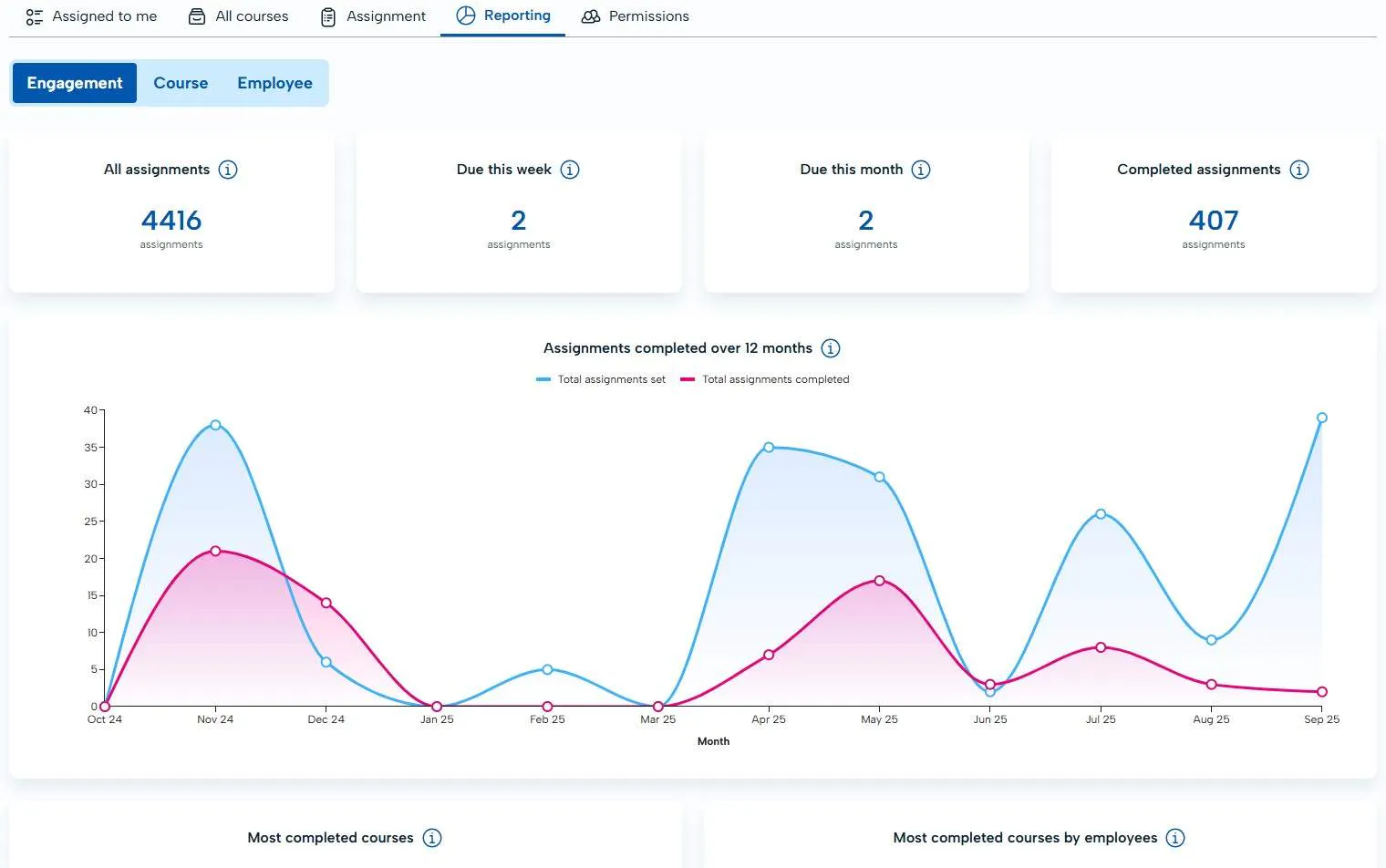
You can see a summary of courses assigned, completed and more in the engagement tab to easily get a glance of employee progress.
Exporting Data & Viewing Completion Rate
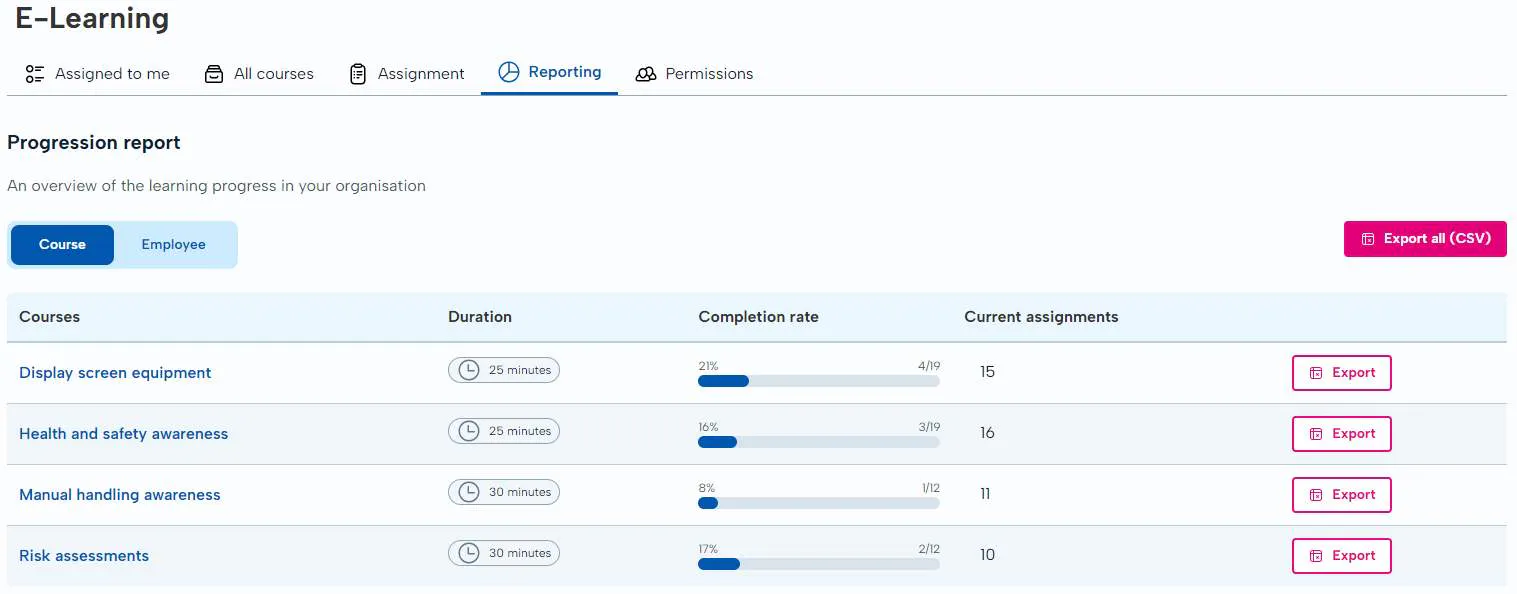
Easily see where your employees are up to with the courses you've assigned to them and export this information in the click of a button!
Downloading a Certificate of Completion