- Blip clocking in app
Record staff hours easily with our clock in and out app
Blip is the staff clock in system that makes clocking in and out effortless. With just a click, you can…
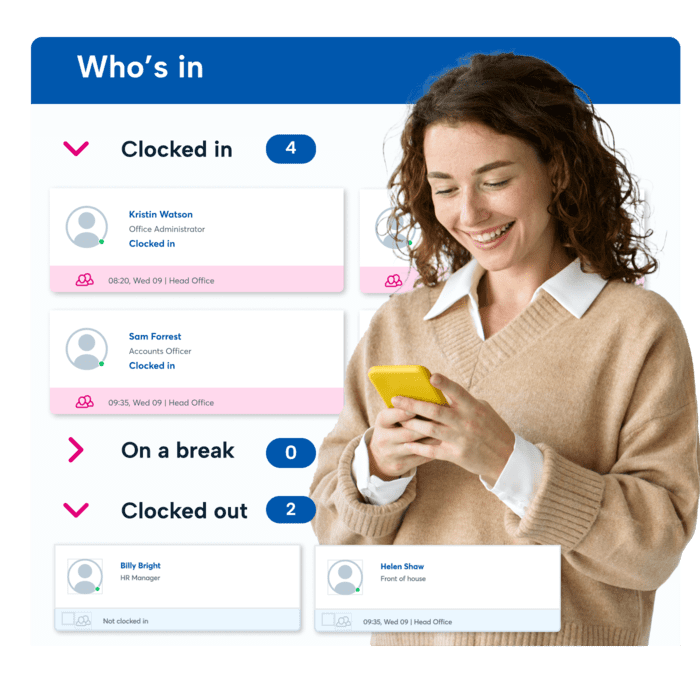
- Know who’s in, off, or on a break with real-time updates
- Track employee working hours accurately and generate timesheet reports
- Remind forgetful staff to log their hours with auto-alerts
- Allow remote working with secure geolocation tracking

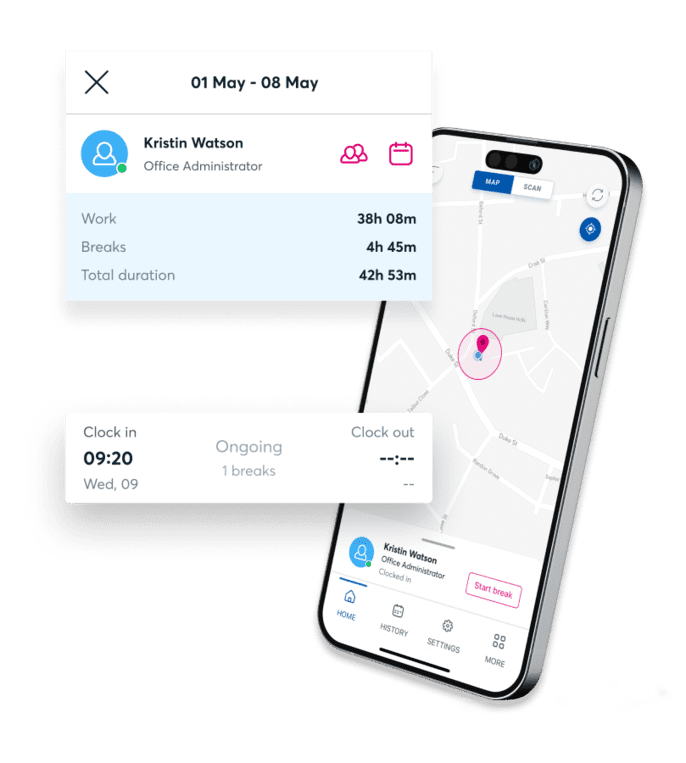
Join the businesses around the world that have reached 60 million+ clock-ins





Three easy ways to make staff time-tracking a breeze
Virtual clock in and out boundaries
Blip's geofence feature helps you create a virtual boundary using GPS. Allowing employees to clock in or out when they enter or leave your set area.
Seamless QR code clock in solution
Easily create a QR code, print it, and showcase it in your workspace. Motivate your team to clock in and out in seconds with a quick scan using the Blip app.
Convenient clock ins on ANY device
As well as being a clock in app, Blip is fully integrated into BrightHR, so staff who don't have smartphones or don't want to use their own devices can clock in and out from their work computers.
What our customers say about BrightHR
Using BrightHR makes us much more organised and centralises our processes, making it quicker for us to manage sickness and holidays.
Nottingham Credit Union

BrightHR is a user-friendly system and the team are on hand to answer any questions we ever have. I would highly recommend BrightHR.
Deborah Gillespie @ Change, Recruitment Group

Our staff absolutely love using the system and the ease of booking holidays and clocking in using Blip. Customer service is amazing...
Steven Greenall @ Cornerstone Children’s Home

Iron out the Blips in your timesheets
As a business owner, you’re already balancing so much. The last thing you need slowing you down is piles of paper and manual logs of your staff’s working hours.
With Blip, the only thing your staff need to clock in or out is their mobile phone. And with just a glance, you can make sure you’re meeting regulations and check who’s available to work.
It’s that simple.
How Blip keeps you in line with the law
You might trust your team—but you can’t just take their word when it comes to working hours…
Blip helps you keep official records of staff hours, breaks, and overtime. So, you’re meeting Working Time Regulations. That’s one app to help you:
- Log core working hours and locations
- Make sure staff are taking enough breaks
- Record staff overtime accurately
- Export and save work history for your employees
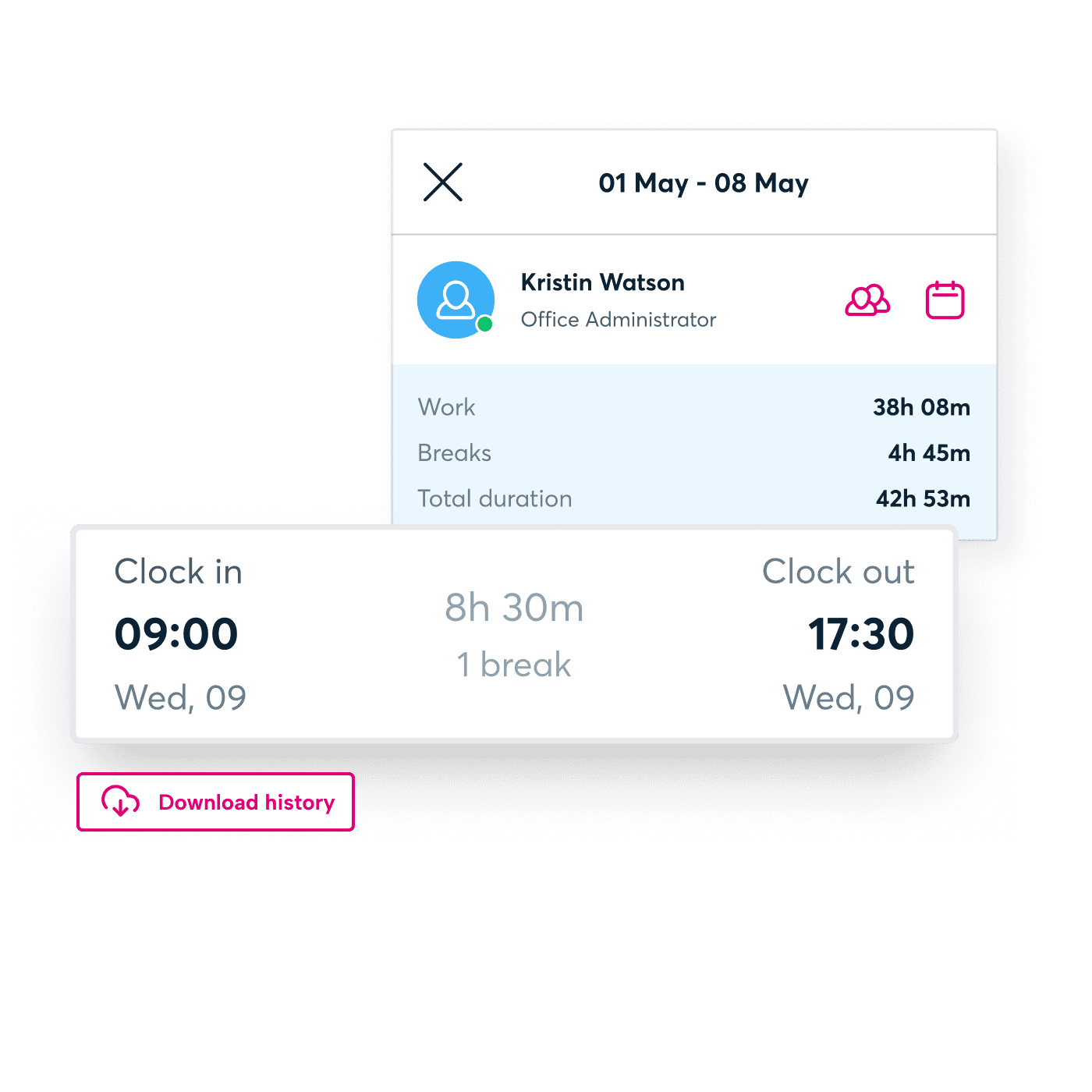
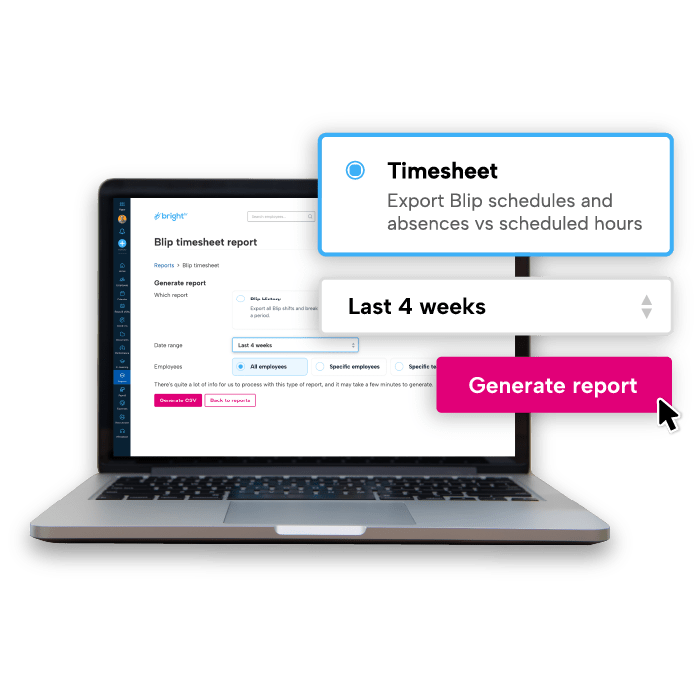
Timesheet reports that actually make sense
See who worked what, when, and spot the discrepancies.
- Compare planned vs actual hours in one simple view
- Spot overtime patterns before they become expensive
- Keep accurate payroll records with all the context you need
- Export audit-ready reports for compliance checks
See our time-tracking software and app in action
Our app helps you make sure time-tracking in your business takes no time at all. Give your employees control and ownership over their own hours. And free up your time to do what you do best: building a better business.
See how it works in our quick video. Or take a personalised tour by booking a free demo with our software experts.
Explore what else BrightHR has to offer

Never be understaffed thanks to easy-to-use absence management software that gives you real-time notifications and EAP resources for extended sick leave.

Carry your electronic filing system in your pocket with unlimited document storage space. Upload, store, and view documents in seconds.

Create, assign, and edit shifts and rotas with ease across ANY working pattern. Plus bring flexibility with our new open shifts feature.

Make your staff holiday management a breeze. Approve holiday requests on the go, get notified of clashes, and get a single view of your entire teams schedule.

Avoid costly mistakes with our step-by-step planner that helps you avoid tribunals and penalties with a compliant process, unlimited advice, and expert HR templates.

Get the right person for the job every time by tracking, storing, organising, and managing your applicants from job openings to onboarding.
Interested in BrightHR? See it in action
Dive into our award-winning software and see our range of people management tools for yourself
A Guide to HR Software
Wednesday, February 25, 2026
Your guide to choosing the right HR software
The right HR software can become the backbone of your business. But there’s lots to consider when choosing your provider.
From a handy checklist of the features you need to look for, to the risks that software can help you avoid, our Guide to HR Software covers it all.
Our latest insights
FAQs about Blip
The Blip app offers you two different ways to track your staff’s working hours.
You can choose to generate a QR code on the app and display it around your workplace, letting your employees clock their hours by scanning the code. Or you can set up customised geofences, so your employees can clock their time in one click whenever they enter the working areaz.
Learn more about how to get started with Blip in our comprehensive guides.
Yes you can! Simply head to settings where you will find a few options for reminders.
For clocking out, you can set a manual reminder to send a notification after an allotted time period such as 8 hours.
As well as the manual reminder, the smart option allows you to recieve automated notifications to clock in and out based on your working pattern or rota set up by your employer.
Finally, there is also a manual break reminder which again allow you to set an amount of time to notify you to end your break.
Q. QuestionCan I generate a report to see employees hours worked excluding breaks on Blip?
First, go to reports section and find the blip timesheet report then select blip summary. You’ll need to select the date range that you want to generate the report for and which employees you want to include and click generate.
Yes you can! Flexible clock ins are recorded with a screen shot of the map on Blip where the employee has clocked in and you can see this on the app.
This is currently not available through the website in the clock-ins section and will need to be viewed via the Blip app.
Keeping your operations flexible is important. But giving your staff the option of remote or hybrid working patterns can make managing your teams more difficult.
Our time-tracking app—Blip—lets you maintain flexibility with none of the stress. You can opt to create virtual boundaries called geofences around your worksites no matter where they are. Your employees will be auto-alerted to clock in and out whenever they enter or leave the geofenced location. It’s an easy and secure way to help your employees take control of their hours and keep their timesheets accurate.
The Blip time-tracking app is completely free for all BrightHR users.
If you’ve already registered as a BrightHR user, all you need to do is download the Blip app and log in using your BrightHR email address and password. You can set up and onboard your entire team in just a few minutes and then you’re all set!
A Guide to HR Software
Wednesday, July 30, 2025
Your guide to clocking in apps
Clocking in software removes the need for punch clock systems, prevents time theft and gives you a snapshot view of who's ready to work.
Our guide to clocking in apps includes what to look for, how to use them and the benefits of adopting a modern clocking in solution for your business.