- ...>How to make the most of Bright Exchange
How to make the most of Bright Exchange
Bright Exchange is an employee benefits and discounts platform offering savings, perks, and wellbeing resources. This guide shows how to access offers, navigate categories, redeem deals, and help staff get the most value from the platform.
Making the most of Bright Exchange
Bright Exchange, the marketplace included in your Bright package and optional advertising services. This guide will take you through how you can reach over a million customers using our platform, what the process of getting an advert live looks like and more...
Introduction
Bright Exchange puts your brand in front of 100,000+ business owners and over 1 million potential consumers globally.
Use Bright Exchange to advertise your business and list offers, and work with our team to co-market and sell together.
Benefits of using Bright Exchange
So what are the benefits of our platform?
- Become part of an exclusive community of like-minded business owners.
- Get insights into how your advert is performing so you can effectively promote your brand.
Plus, as Bright Exchange doubles up as an employee perk platform, staff get access to exclusive money-saving deals. Keep your best people and attract top talent with your own FREE staff discount platform.
Don't just take our word for it, see some of our testimonials from current Bright Exchange users!
'All Things Sweet'
"I would definitely recommend using Bright Exchange, it has been so helpful is spreading more awareness about my business and making more sales as a result. Bright Exchange assistants really go above and beyond to help with what you need and even what you do know you need."
BrightHR customer
'Swapi'
“We’ve seen Sales coming in already and we wouldn’t have had these without Bright Exchange, it’s a superb platform”
BrightHR customer
'The Best Ever Brownie Company'
"Thank you again, we are all buzzing here i don't think we have ever had so many orders in such a short space of time! It was very exciting to see orders pop in so quickly!"
BrightHR customer
How it Works
Let's look at how it all works...
The first step is to add your business profile. This includes business details such as services, opening times etc.

Create your advert by adding the details needed to redeem your offer and an image of your product.

Once you’re happy, submit your offer for approval. And don't worry, if you want to make edits after it's published, you can.

Our team of moderators will carefully check your ad before publishing it to the Marketplace.

How do I access Bright Exchange?
Simple! You can either go directly to the website https://exchange.brighthr.com/ or you can access via the dashboard on BrightHR, through our app or even on BrightSafe!
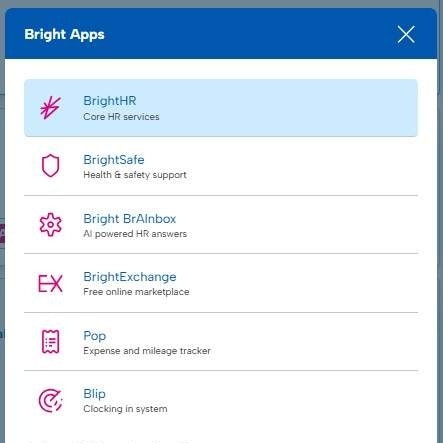
Your login details for Bright Exchange will be the same as your BrightHR or BrightSafe login details.
Business Profile & Directory
Creating your Business Profile
Building a catchy business profile can be the difference of drawing attention to your services and increasing your sales!
Your company profile is the way potential customers can connect with your business, see what you offer, how you operate so, upload a catchy image, write a captivating about us to really get those eyes drawn in.
What do I need to do?
Setting up your company profile is super easy, follow the bellow steps to get started.
First, head to the my account section via the option in the top right.

Company Logo
Under My Company Profile, you will see the option for Name & Logo let's head in here to upload your logo.
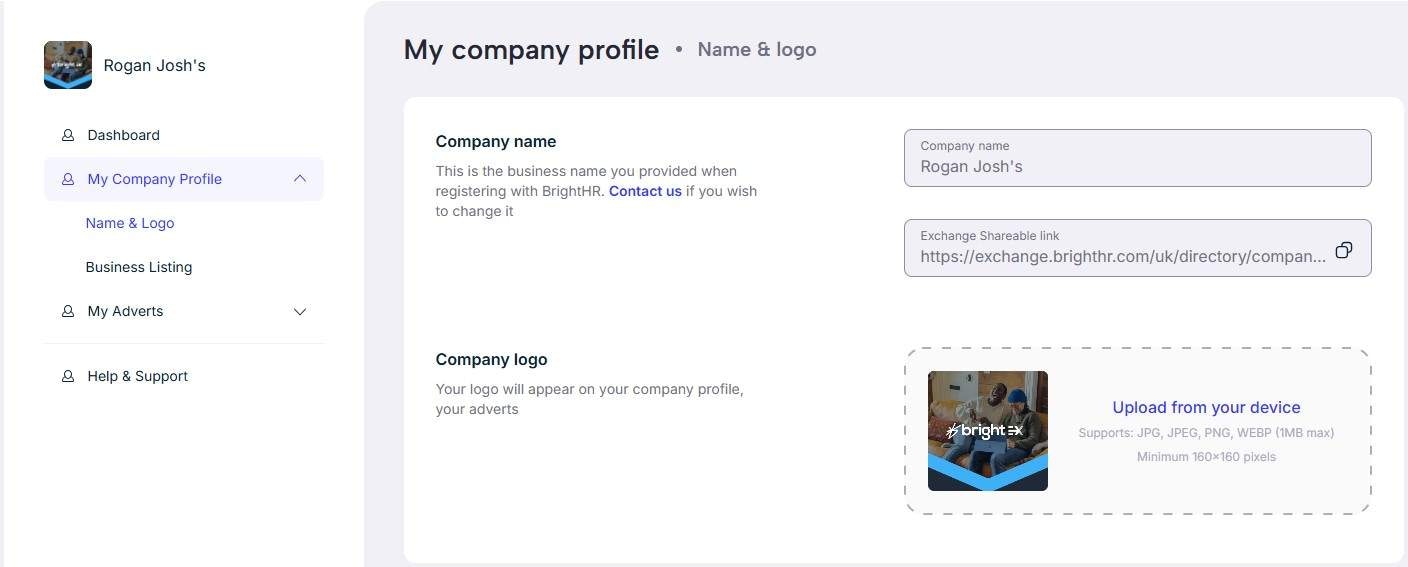
Once uploaded, your logo will appear in the top left next to your company name.
Please note, your company name is integrated from BrightHR. If you need to change this, you can update the company name via BrightHR in settings.
Business Listing
Next, we're going to get your business listing created and sent off for approval - we will go over the approval process later.
Let's go over what you need to include in your listing...
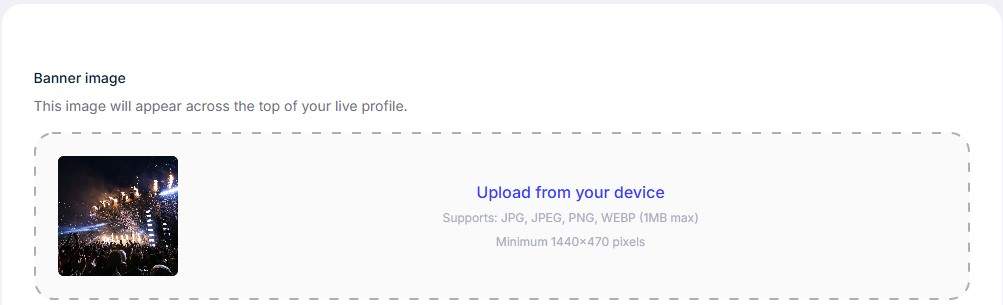
Upload a catchy banner that will draw attention - try to optimise your image to the suggested minimum 1440x470.
What does the Approval Process look like?
Simple! After you submit your listing for approval, our dedicated team will review the listing looking out for any issues that may affect the listing or go against our advertising policies.
After the review is successful, we will be in touch to let you know your listing is live, just look out for an email from us.
Things that could mean the listing will be declined could be:
- An issue with the listing itself such as a broken website link.
- Issues with the content of the listing - if the listing contains content that may cause offense or includes profanities, it would be declined.
- Another reason could be to do with the product or service itself being a direct conflict of interest to BrightHR or our wider group - such as offering HR software products.
We're usually very quick with reviewing listings and you should expect a response within 1 working day.
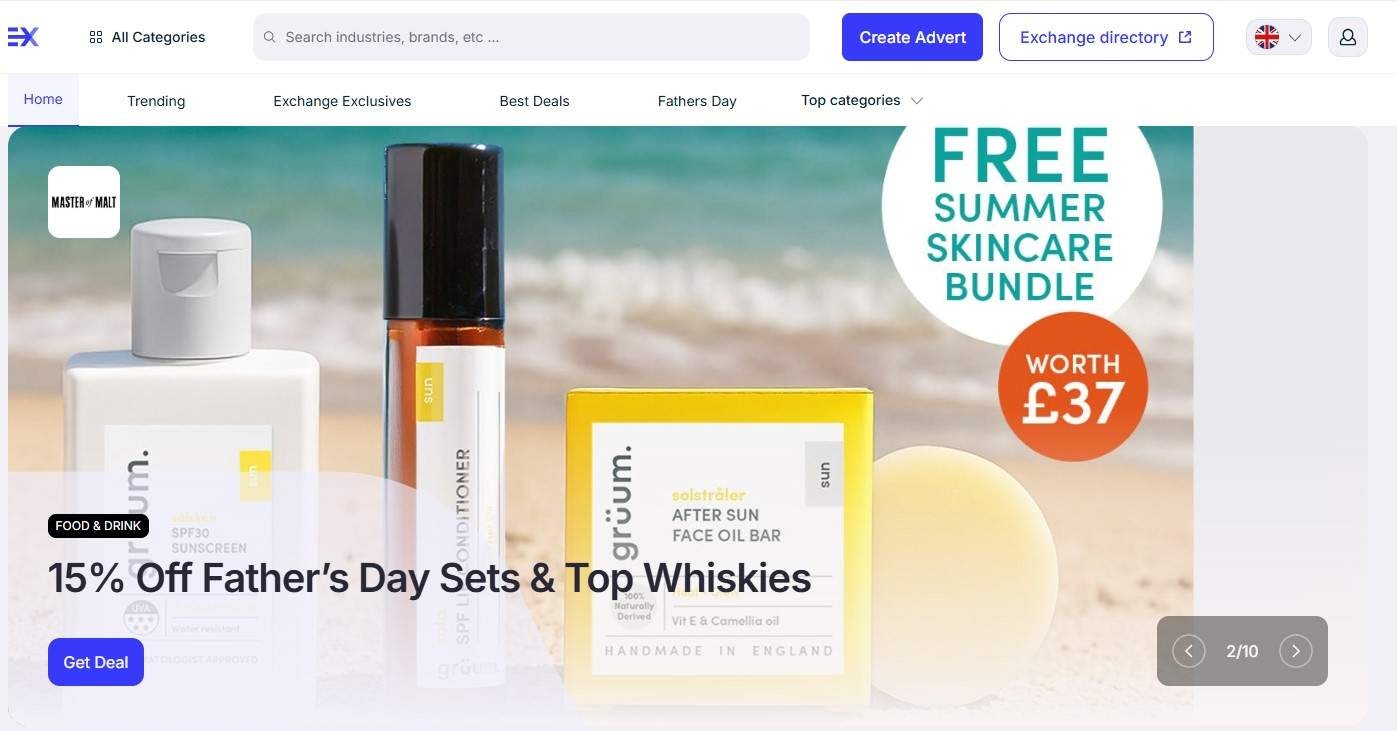
Let's take a look at where the magic happens, the marketplace. This is where you can access and find all of the amazing deals Bright Exchange has to offer.

Adverts & Marketplace
What is the Exchange Marketplace?
Our marketplace has many benefits and is easy to use, lets find out why.
Our marketplace is where you can find adverts that have been listed by other companies just like you.
Benefits of our Marketplace
There are many benefits for using our marketplace, lets take a look at some of them.
The most obvious benefit, increases in your sales or use of your services. We have heard some great success stories from businesses using Bright Exchange.
How Do I use the Marketplace?
Let's take a look at how we can use the marketplace...
How To Redeem A Deal / offer
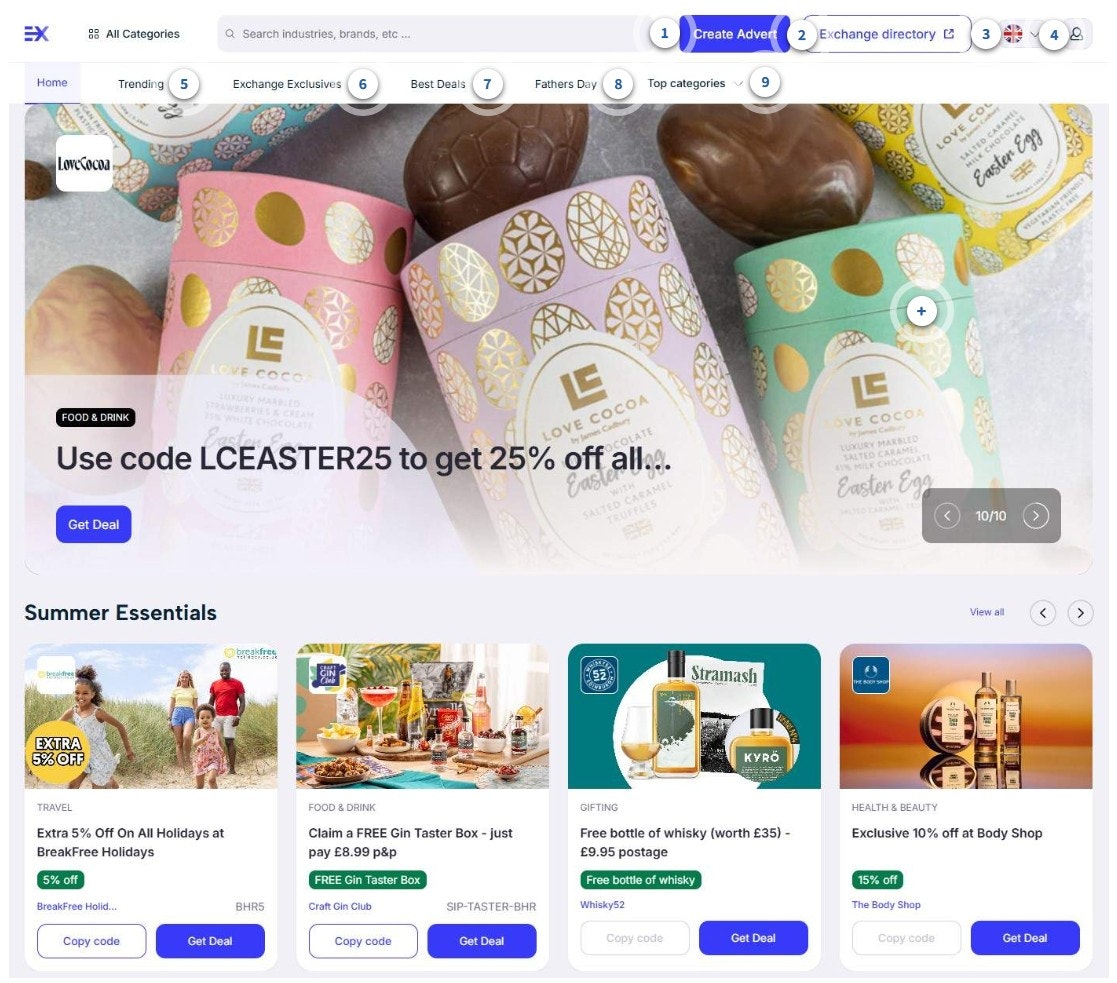
Redeeming your offer should be a simple process. From Bright Exchange, once you have found your perfect deal, you will see two options.
Copy code - This will copy the code (if there is one) so you can paste it in to the website before buying the product in a promocode field.
Get deal - This will take you to the URL of the deal or offer so you can claim the offer or buy the product and apply the promo code.

Advert Spotlight / sponsored
Your advert can be found and will be interacted with by customers, however, to really increase your viewers you can get your advert added to the spotlight area as a sponsored advert.
Get in touch with our team to discuss this and pricing to get your advert in the spotlight.
If you wish to enquire about your advert in the spotlight including pricing, please get in touch with our exchange team @ brightexchange@brighthr.com
Now, lets take a look at how you can get your specific product or service advertised to over a million people, for free!

Creating an Advert
Now, let's look at the all important step of creating your advert.
This is where you really want to shine and stand out to all those potential customers, so we have give you the tools you need to do so...
Getting Started
First of all, click the 'Create Advert' Button at the top of the marketplace page.
Next, you will need to enter some information about the product or service.
Advert title - A catchy summary of what your product / service is and any offer if you have one.
Advert category - Select an applicable category for your advert which will group your ad in to specific categories on the marketplace.
Advert region - The region where your business may be or the region you offer services in (you can simply select United Kingdom if there is no specific region you are tied to).
Upload image - Select an image of the product or of the service in action (a catchy image is important as this will be visible on your advert).
Advert description - Your time to shine! This is where you can really sell your product or service and convince buyers why this is right for them!

Next, you'll need to add some details about the promotion / offer.
Select offer type - Here you can select if the offer is a discount or special offer such as buy one get one free.
Promo code - Enter a promo code if needed to add at check out to apply the discount on your website.
Offer validity period - Enter the time range this offer is available for.
Start date - Enter the date the offer will be valid from.
Redemption details - Enter the instructions of how to redeem the offer such as adding a promo code in to the field before checkout / payment.
Advert website - A direct link to where the product / service can be purchased.

You do not NEED to add a discount or special offer and can just leave this blank if you're simply advertising your full prices services / products.
Card Preview
As you add details and build your advert, the card preview to the right will generate an idea of what your ad will look like once published on BrightExchange.
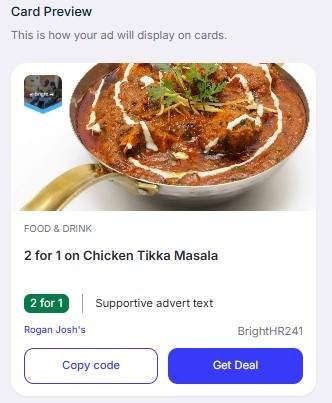
Once you're happy with your advert, click submit.
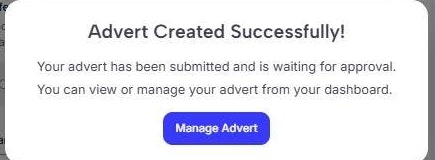
Your advert will then sit in pending until approved by our team.

What does the Approval Process look like?
Simple! After you submit your advert for approval, our dedicated team will review the ad looking out for any issues that may affect the advert or go against our advertising policies.
After the review is successful, we will be in touch to let you know your advert is live, just look out for an email from us.
Things that could mean the ad will be declined could be:
- An issue with the advert itself such as a broken website link.
- Issues with the content of the advert - if it contains content that may cause offense or includes profanities, it would be declined.
- Another reason could be to do with the product or service itself being a direct conflict of interest to BrightHR or our wider group - such as offering HR software products.
We're usually very quick with reviewing adverts and you should expect a response within 1 working day.
Once approved, your advert will appear like the below to customers.
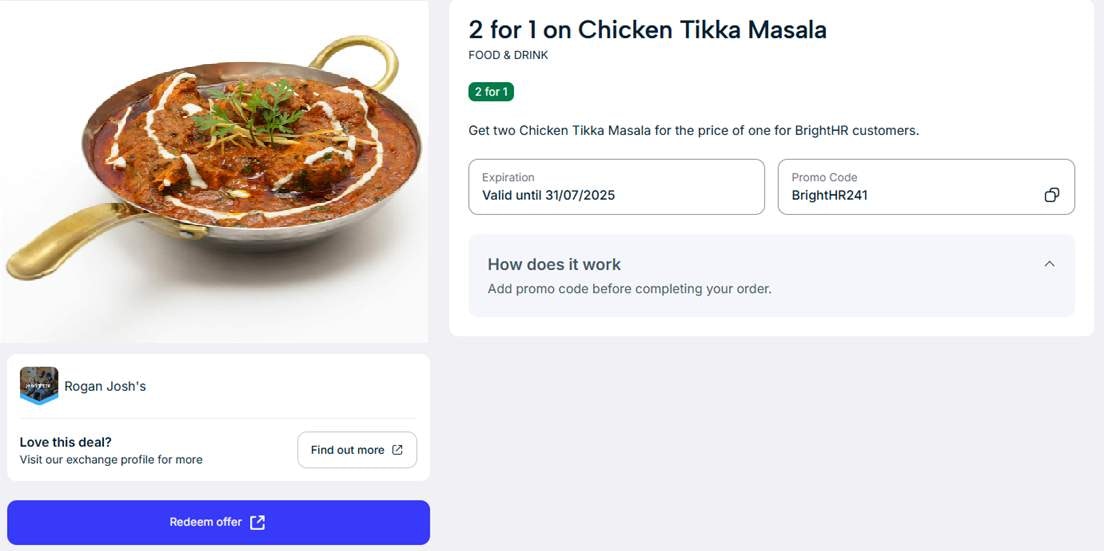
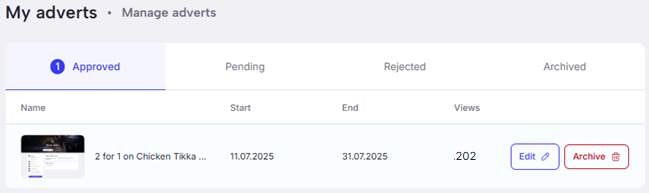
Once approved, you will also be able to see how many views your ad is getting as you can see below.
Want to see your advert in the spot light on the marketplace? Just drop our team an email with your request to brightexchange@brighthr.com