- ...>Shifts & Rotas
Shift & employee schedule planning for any working pattern
The most efficient way to manage staff shifts, create schedules, track attendance and fill open shifts
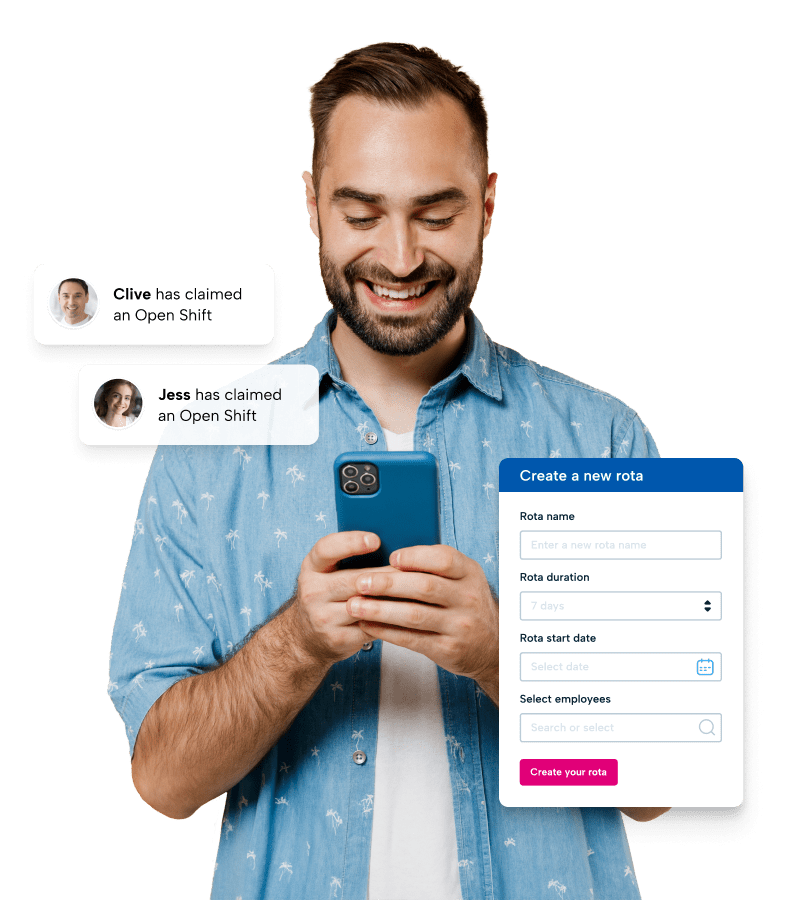
- Create work schedules at the click of a button
- Get instant alerts of shift acceptance or changes
- Fill vacant shifts instantly with our open shifts feature
- Copy, duplicate, and assign shifts and schedules in minutes

Join 9,000+ Canadian businesses that trust BrightHR





Powerful online workforce scheduling software—made simple
Forget complicated scheduling spreadsheets. Our smart staff schedule software makes it quick and easy to create schedules for any industry and working pattern in minutes.
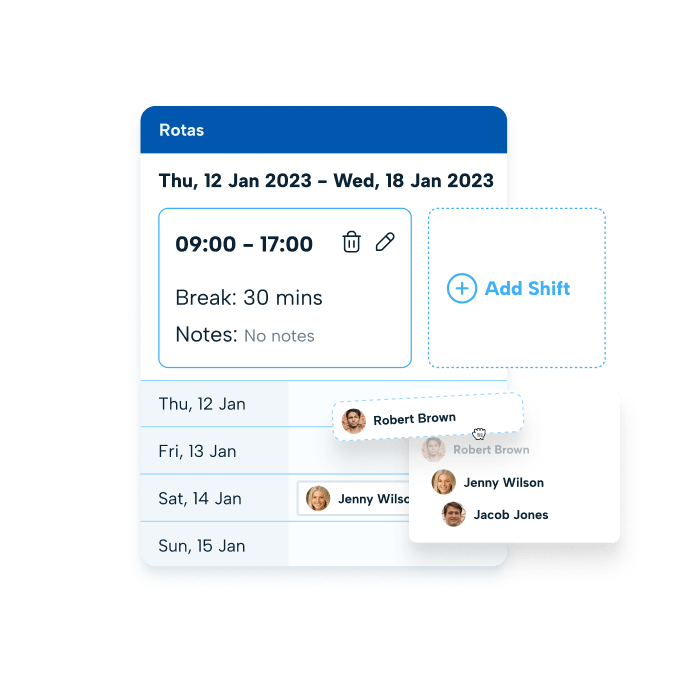
- Choose from three template views—table, timeline or drag and drop layouts
- Simply create schedules in your chosen layout and instantly notify your team
- Duplicate shifts and schedules, and assign shifts across days and staff
- Allow select staff to accept or decline shifts for ultimate flexibility
- Easily find and edit shifts with real time updates for everyone
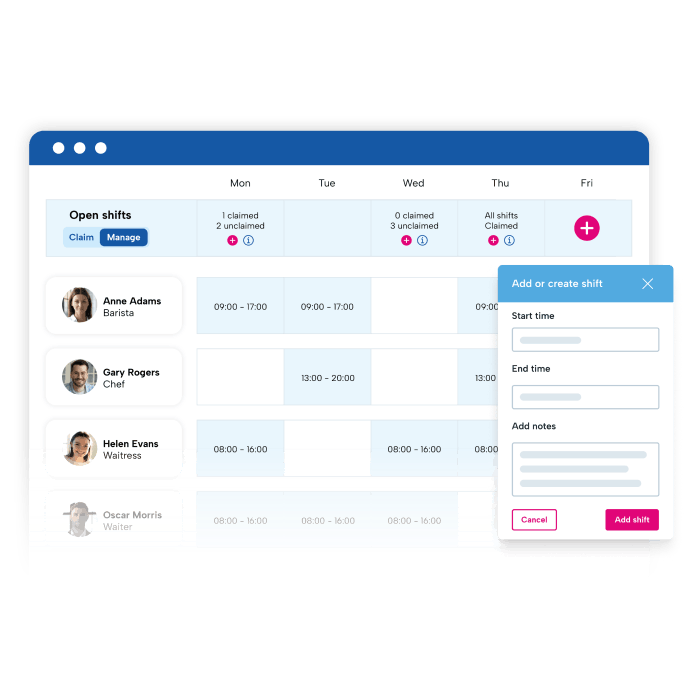
Master last-minute changes with OPEN SHIFTS
Our Open Shifts feature takes away the stress of dropped shifts and last-minute no-shows.
- Notify staff with real-time alerts when a shift opens up
- Release unfilled shifts to your staff on a first come first serve basis
- Give staff the option of picking up extra shifts without adding pressure
- Get automated schedule changes for accurate timesheets
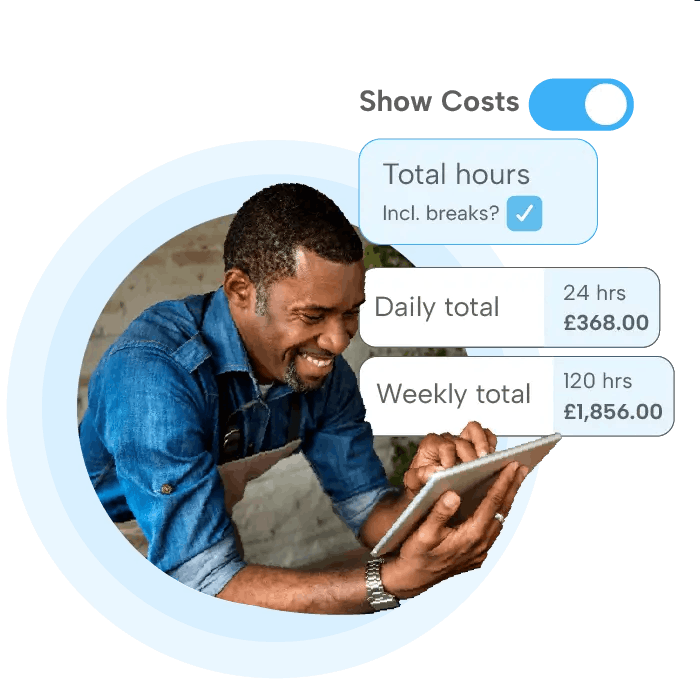
See the true cost of every shift
Reveal the impact of your scheduling decisions before they impact your bottom line.
Instantly visualise the complete cost of each shift you schedule
Make data-driven staffing decisions with real-time financial insights
Reduce overspending through smarter scheduling choices
Plan budgets with confidence using accurate cost projections
What our customers say about BrightHR
Using BrightHR makes us much more organised and centralises our processes, making it quicker for us to manage sickness and holidays.
Nottingham Credit Union

BrightHR is a user-friendly system and the team are on hand to answer any questions we ever have. I would highly recommend BrightHR.
Deborah Gillespie @ Change, Recruitment Group

Our staff absolutely love using the system and the ease of booking holidays and clocking in using Blip. Customer service is amazing...
Steven Greenall @ Cornerstone Children’s Home

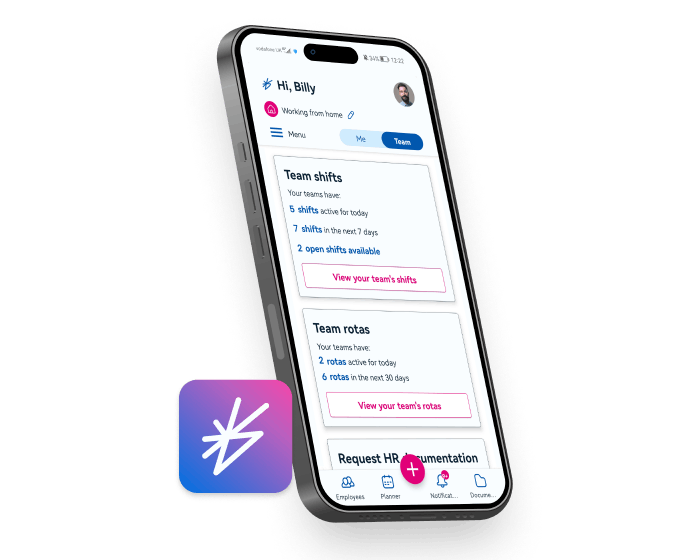
Always on the go? You need an app for staff scheduling
Our free employee scheduling app (on iOS and Android) helps you manage your staff shifts straight from your smartphone.
- Manage and edit your entire work schedule at any time
- Alert staff when their schedule is ready or if anything has changed
- Notify staff as soon as an open shift needs picked up
- Accept or decline employee time off requests in real-time
See BrightHR’s staff scheduling software in action
Discover just how easy it is to make the most of our software for employee scheduling in our quick video demo or book a free product demo.
No matter what industry you are in, see firsthand how our staff scheduling software and scheduler app can transform how you manage your schedules and shifts—meeting the needs of your entire workforce.
How to choose the right shift and scheduling software
Monday, October 20, 2025
Your guide to shift and scheduling software
Let’s be honest, creating schedules can be one of the most frustrating and time-consuming parts of running a business.
From juggling employee availability and figuring out how to cover busy periods to scrambling for cover when someone drops a shift last minute, it’s a lot to manage.
But with proper planning, smart tech and a few taps on your screen, you can take back control. BrightHR helps you create schedules that keep operations smooth and your staff productive and happy.
Explore what else BrightHR has to offer

Never be understaffed thanks to easy-to-use absence management software that gives you real-time notifications and resources for extended sick leave.

Carry your electronic filing system in your pocket with unlimited document storage space. Upload, store, and view documents in seconds.

Manage your staff’s overtime hours, approve or decline requests, choose between payable hours or time off in lieu, and keep your payroll accurate.

Get a real-time view of who’s clocked in, out, or on a break by letting staff clock their own hours on our Blip App.

Make your staff vacation management a breeze. Approve vacation requests on the go, get notified of clashes, and get a single view of your entire teams schedule.

Get the right person for the job every time by tracking, storing, organising, and managing your applicants from job openings to onboarding.
Interested in BrightHR? See it in action
Dive into our award-winning software and see our range of people management tools for yourself
FAQs
The benefits of a shift planner software will depend on the type of software you opt for. The best software gives you an end-to-end solution that’s integrated with your other people management tools.
So, your shift planning can pull information from your absence management system and vacation planner. BrightHR’s smart shift planner software will then be able to flag conflicts, assign the best available people for the job, and be customizable to any working pattern. You’ll also be able to duplicate, copy, and assign shifts in a matter of minutes—saving time, eliminating stress, optimizing resources and making you more profitable.
BrightHR offers you the best approach to organising your rotas that will work for both you and your staff, ensuring transparency every step of the way.
With our shift and schedule planner, your team shares one calendar that gives them visibility into when their co-workers are on vacation, off sick, or working a shift. This will make them more responsible for their calendar and give them insight into why certain decisions may be made or how the workload is shared.
Our open shifts feature also lets you create shifts and open them for your team to assign to themselves on a first-come-first-served basis.
Your team will also receive instant notifications when they get assigned a shift. Making communication easier, and keeping your staff updated so they never miss a shift.
It’s quick, simple and saves stress and hassle – while making sure your shifts are fully manned and operations are running smoothly.
Q. Question
Our HR software is an end-to-end solution that’s designed to meet all your people management needs. So, you can get everything from a vacation planner and staff time-tracking app to a learning management system and unlimited cloud-based storage for all your HR documents. You can also access professional advice and a marketing & sales platform.
Get an HR software solution that meets your unique business needs including your team size by booking a demo with one of our expert agents.
You can also find out more about the packages we offer on our pricing journey or just book a call to speak directly to our friendly team.
Making sure you have the right people on the job every working day requires effective shift planning. The process involves assigning employees to work throughout specific slots of the day, and making sure they are informed of these times.
Our HR software makes this process easier with our smart shift planner that takes the manual hassle and wasted communication out of the equation. It also integrates with essential tools like vacation management and time-tracking to make the work faster, more accurate and ensure you’re never under or overstaffed.