- Blip clocking in app
Blip: a digital clock in and out solution for your business
Put an easy-to-use clock-in and clock-out app in your employees' hands for improved time tracking and more accurate payroll.
- Record hours worked, including breaks, down to the minute
- Set automatic alerts to help avoid unnecessary overtime
- Ensure employees are clocking in and out on-site with geofencing
- Keep labour costs on target with reporting tools


Join the businesses around the world that have reached 60 million+ clock-ins






Clean up your timekeeping with an all-in-one application
Even with diligent manual timekeeping, lateness can go unaddressed, costing you money, while overtime can go unrecorded, leading to frustrated employees. A digital solution that puts clocking in and out in the hands of your staff and keeps a record of every minute worked can help address these challenges.
Our employee time clock software helps you maintain accurate records of staff hours, breaks and overtime. That's one app to help you:
- Log working hours and clock-in locations
- Monitor whether employees are taking mandatory breaks
- Track overtime accurately and avoid costly oversights
- Export accurate, payroll-ready data
- Support compliance with applicable employment standards

Support better people management with greater insights
Employee clock-in software allows you to identify patterns in lateness and break times before they become a problem.
- Make clocking in easier for your staff
- Spot lateness and timekeeping issues easily
- Support employee wellbeing with better insights into working hours
- Monitor whether employees are taking their full breaks
- Allow for flexible scheduling without creating tracking problems
You'll be able to monitor hours worked, keep track of breaks and offer additional flexibility, all without adding to your administrative workload.

Glowing testimonials from Canadian businesses
BrightHR takes the complexity out of human resources. It gives you the support and that peace of mind that you need as someone who may not be professionally trained in HR.
Lianna Mayer-Harman, Director of Corporate Affairs @ The MH Team
BrightHR has saved me multiple hours a week in processing HR Requests and allowed me to focus on the impact public art can have on communities.
Anjuli Solanki, Program Director @ Steps Public Art
The apps have been so good for the team. We were doing written paper timesheets before. That is such a waste of time.
Holly Singer, Founder @ MilkJar
Reduce time tracking mistakes and save money
Proper people management is a full-time job, especially for growing businesses in Canada. You need an app that can give you that bandwidth back and reduce errors that take time to fix or cause problems during an audit. With Blip, you can:
- Automate your timesheet process with live updates as hours are logged
- Quickly make adjustments to clock-in times
- Stay audit-ready with accurate records of hours worked
- Get a high-level overview of employee working hours in just a few clicks
With just a glance, you can identify potential compliance issues and stay on top of provincial working hour regulations.

Let Blip do the work, saving you time on reporting
Once you've set up your schedule on BrightHR, it integrates with the Blip app to compare scheduled hours with the hours your employees actually work. This gives you the power to:
- Spot trends before they become expensive
- Keep consistent payroll records with the context you need
- Export detailed reports to support compliance checks
Blip works seamlessly with BrightHR, bringing your time tracking and scheduling tools together in one place. Simplify your processes while saving time and reducing administrative work.

Has Blip caught your interest?
Book a demo today and watch your timesheet troubles melt away. Transform how your business handles clocking in and out with Blip.
Explore BrightHR's full suite of timekeeping tools

Never be understaffed thanks to easy-to-use absence management software that gives you real-time notifications and resources for extended sick leave.

Create, assign, and edit shifts and schedules with ease across ANY working pattern. Plus bring flexibility with our new open shifts feature.

Make your staff vacation management a breeze. Approve vacation requests on the go, get notified of clashes, and get a single view of your entire teams schedule.
Customize your timekeeping to suit your business
Create virtual clock in and out boundaries
The geofence feature helps you create a virtual boundary using GPS, which allows employees to clock in or out when they enter or leave your set area.

Take full control of your workforce with customizable geofence settings. Define precise boundaries for clocking in and out to ensure your employees are where they need to be.
GPS technology seamlessly detects these virtual boundaries, prompting your staff to clock in or out as they enter or leave the designated area. With geofencing, you can wave goodbye to the uncertainty of remote work hours and empower your team to thrive.
Clock in and out with QR codes in key locations
Easily create a QR code, print it, and showcase it in your workspace. Your team can easily clock in and out in seconds with a quick scan using the app.

Use Blip on any device, mobile or desktop
As well as being a clock in app, our time clocking software is fully integrated into BrightHR, so employees who don't have smartphones, or don't want to use their own devices can clock in and out from their work computers.

See our time clocking software and app in action
Our app helps you make sure time-tracking in your business takes no time at all. Give your employees control and ownership over their own hours. And free up your time to do what you do best: building a better business.
See how it works in our quick video. Or take a personalized tour by booking a free demo with our software experts.
Revolutionize your time clocking system
Book a demo today, and say goodbye to outdated time tracking methods and reporting problems with Blip by BrightHR.
Learn more about clocking in apps
Wednesday, July 30, 2025
Your guide to clocking in apps
Clocking in software removes the need for punch clock systems, prevents time theft and gives you a snapshot view of who's ready to work.
Our guide to clocking in apps includes what to look for, how to use them and the benefits of adopting a modern clocking in solution for your business.
FAQs about Blip
The Blip app offers you two different ways to track your staff’s working hours.
You can choose to generate a QR code on the app and display it around your workplace, letting your employees clock their hours by scanning the code. Or you can set up customized geofences, so your employees can clock their time in one click whenever they enter the working areaz.
Learn more about how to get started with Blip in our comprehensive guides.
Yes you can! Simply head to settings where you will find a few options for reminders.
For clocking out, you can set a manual reminder to send a notification after an allotted time period such as 8 hours.
As well as the manual reminder, the smart option allows you to recieve automated notifications to clock in and out based on your working pattern or schedule set up by your employer.
Finally, there is also a manual break reminder which again allow you to set an amount of time to notify you to end your break.
Q. QuestionCan I generate a report to see employees hours worked excluding breaks on Blip?
First, go to reports section and find the blip timesheet report then select blip summary. You’ll need to select the date range that you want to generate the report for and which employees you want to include and click generate.
Yes you can! Flexible clock ins are recorded with a screen shot of the map on Blip where the employee has clocked in and you can see this on the app.
This is currently not available through the website in the clock-ins section and will need to be viewed via the Blip app.
Keeping your operations flexible is important. But giving your staff the option of remote or hybrid working patterns can make managing your teams more difficult.
Our time-tracking app—Blip—lets you maintain flexibility with none of the stress. You can opt to create virtual boundaries called geofences around your worksites no matter where they are. Your employees will be auto-alerted to clock in and out whenever they enter or leave the geofenced location. It’s an easy and secure way to help your employees take control of their hours and keep their timesheets accurate.
The Blip time-tracking app is completely free for all BrightHR users.
If you’ve already registered as a BrightHR user, all you need to do is download the Blip app and log in using your BrightHR email address and password. You can set up and onboard your entire team in just a few minutes and then you’re all set!
Our latest insights

Thursday, April 11, 2024
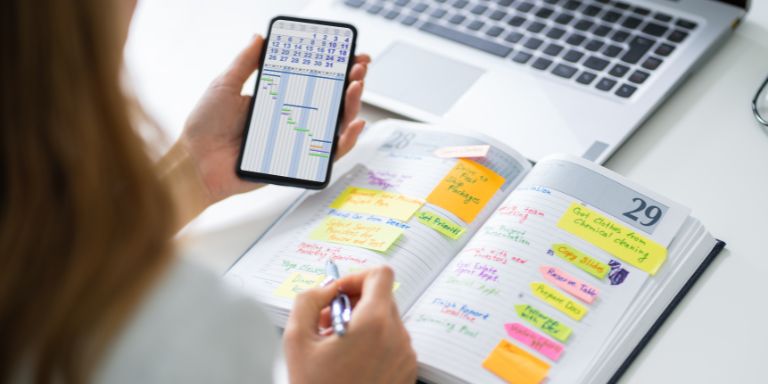
Here’s how you can master planning schedules
Thursday, October 16, 2025
Best practices for employee scheduling during busy periods

Tuesday, September 2, 2025