- ...>Getting Started with the Responsibility Navigator
Getting Started with the Responsibility Navigator
The Responsibility Navigator helps you assign and manage health and safety roles. This guide explains how to allocate responsibilities, track ownership, and ensure compliance across your organisation.
The Responsibility Navigator
Get to know all about our responsibility navigator which can help your business keep on top of reoccuring tasks or adhoc responsibilities.
Creating a Responsibility
The Responsibility Navigator
The responsibility Navigator allows you to create one-off or recurring responsibilities within your business and set due dates for these tasks to make managing H&S within your business even easier. Let's get started!
Creating a Responsibility
To get started click the 'Add a new responsibility' button.
Statutory responsibilities - We've put together a whole host of template responsibilities so all you need to do is choose one of these to get started when adding a statutory responsibility.
Bespoke responsibilities - A flexible option allowing you to enter custom details when adding a responsibility bespoke to your business.
Adding a Statutory Responsibility
Click 'Statutory responsibilities' and choose which category you'd like to view responsibilities for.
You'll see a list of all the responsibilities that fall under that category.
Just click the tick box for each of the responsibilities you'd like to set up on BrightSafe.
Then click 'Next- create responsibilities' to move onto the next step.
Adding a Bespoke Responsibility
Click 'Bespoke responsibilities' then enter a category for your responsibility.
Select a reason for your responsibility from the drop-down list.
Add a title and description of the responsibility.
Then click 'Next- create responsibilities' to move onto the next step.
Responsibilities Planner
Editing a Responsibility
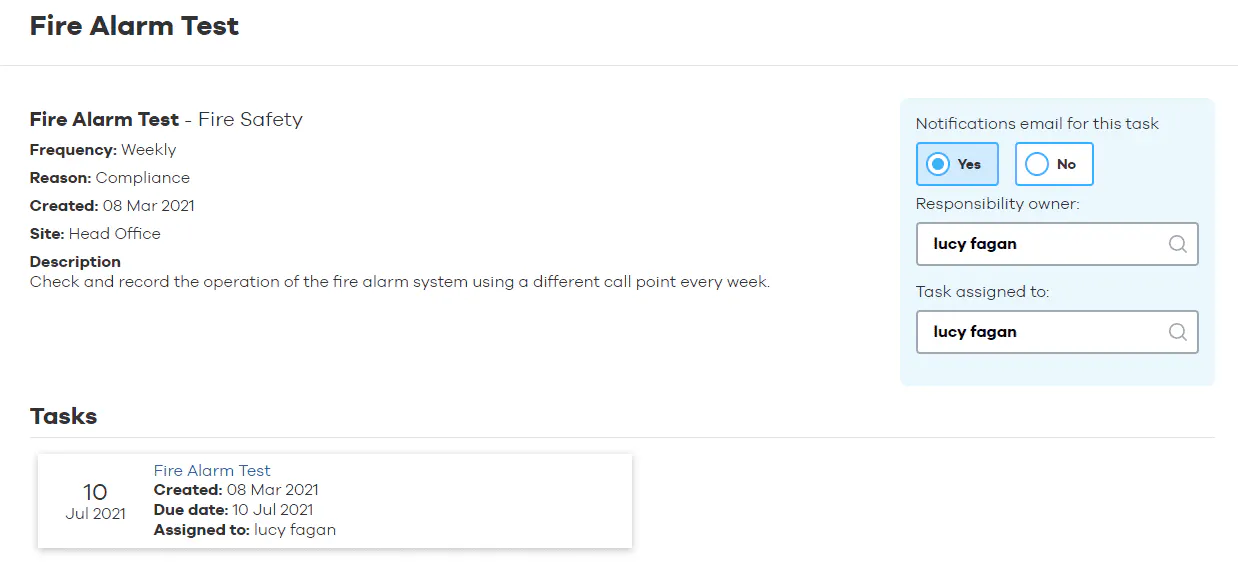
Once an ongoing responsibility it setup you can edit whether the task is included in your weekly notification email from BrightSafe, who the task owner is and the person assigned to the task.