- ...>HR Self Service
Employee self-service HR software
HR software that enables your employees to access their own data, make requests from their own devices and view their rotas anytime is the modern HR solution your business needs to empower your staff.
- Give employees access from any device
- Boost employee engagement
- Minimise risk with compliance support
- Allow employees more control over their own data

Join 120,000+ UK businesses that trust BrightHR




What is employee self-service (ESS)?
Employee self-service is a feature of HR software that allows employees to access their own data, documentation, and HR management tools.
From making holiday requests, reviewing schedules, and updating personal details. ESS is the perfect solution for businesses with growing teams looking to get a handle on HR admin.

Used by 1,000,000+ users in the UK
Choose BrightHR for your business to empower your employees
“The interface of the dashboard is quick, intuitive and easy to pick up...the ability for us to manage the team in a shared holiday calendar has reduced the amount of back and fourth agreeing on dates for annual leave”. Paul, the Operations Director at Reliable Skip
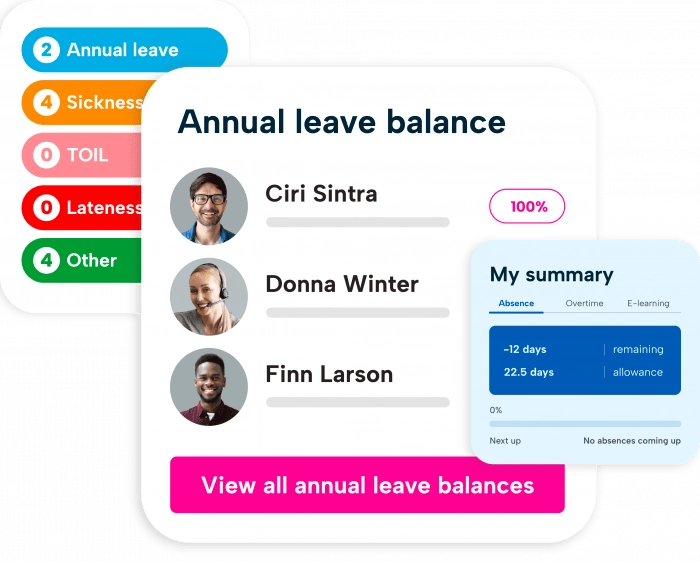
Employees can request holidays in just a few clicks
In 2025, BrightHR processed over 3,000,000 employee holiday requests, showing how simple and widely used the process is.
With the option to send a request directly to an admin or manager, BrightHR's staff holiday planner removes the need for messy paperwork and email requests.
With a clear, easy-to-use staff holiday planner, employees can manage their annual leave confidently and make the most of their allowance with less friction.
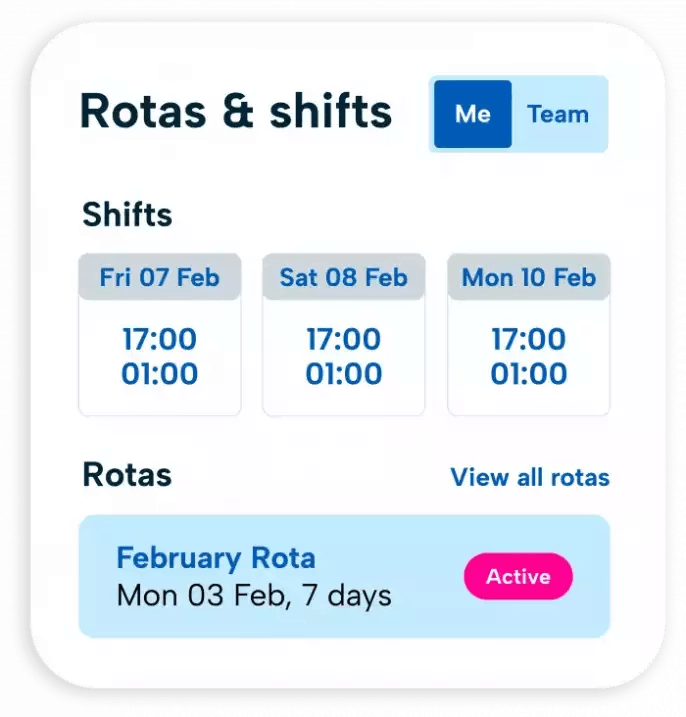
Staff can view rotas and accept open shifts
With instant notifcations to their devices, staff can view upcoming shifts and accept open shift invitations.
- Instantly send notifications to teams so employees can view their latest work schedules in real time
- Give employees the ability to accept or decline shifts directly through the platform
- Automatically notify staff when an open shift becomes available
- Allow employees to accept open shifts with a single click for faster shift coverage
Acknowledge and praise team members
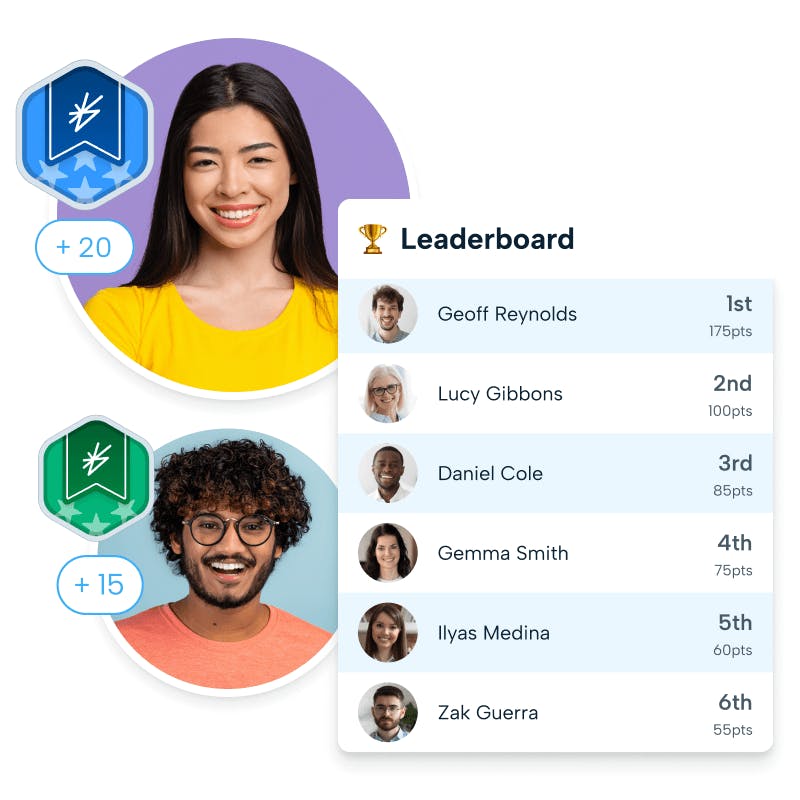
The self-service Praise, employee recognition feature is an exceptional tool for boosting your team’s morale.
Employees can give praise points when they believe a colleague has been helpful, gone above and beyond, and supported them on a project.
- Acknowledge your team’s hard work
- Boost employee engagement
- Promote team building
- Improve staff retention rates
Empower your staff and gain back valuable time
Choose a HR solution that benefits the entire team!
HR app access for a mobile-friendly user experience
Through a HR app, employees can view important information, manage requests, and respond to updates directly from their phone.
- Help teams stay informed and engaged
- Provide timely notifications direct to their chosen mobile device
- Make HR accessible to your team anytime, anywhere
Our suite of apps, including Blip for clocking in and PoP for expense tracking can be downloaded by your staff directly from the Apple App Store or Google Play Store.
Clocking in and out made simple
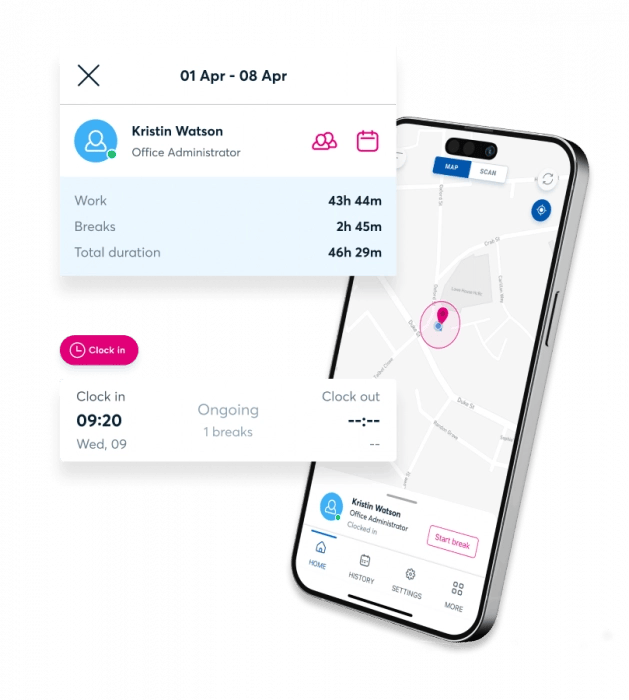
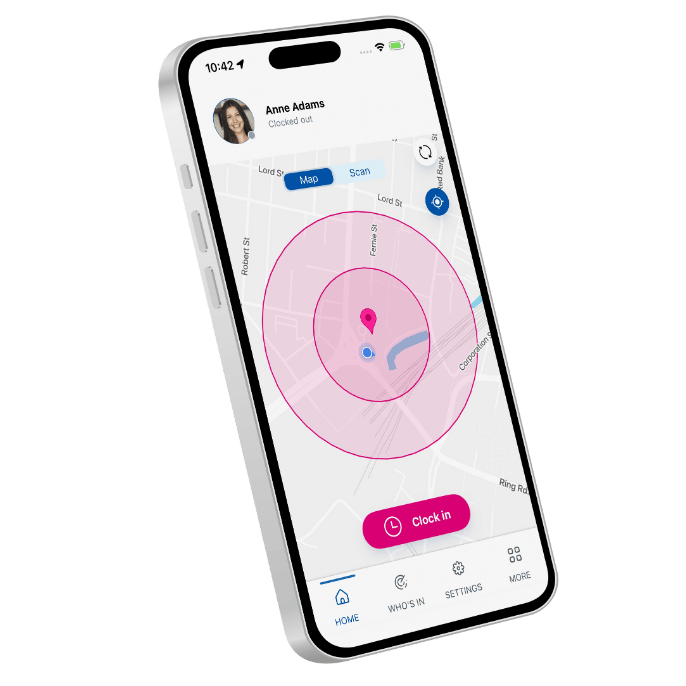
With the Blip clocking in app, employees can clock in and out directly from their mobile devices, making time tracking quick and straightforward. The mobile-first design removes unnecessary steps, helping staff record their working hours easily whether they are on site, remote, or on the move.
No fuss, no need for constant reminders, staff can use Blip from anywhere.
The benefits of self-service HR management for your business

Having control over everyday HR tasks can create a more convenient and responsive experience, especially when access is available through mobile-friendly platforms or apps.

Employee self-service allows staff to manage routine HR tasks themselves, which can help reduce the volume of manual admin handled by HR teams.

When HR processes are easy to access and use, employees may be more likely to view HR as a support function rather than an obstacle. Feeling supported can play a role in whether employees choose to stay with an organisation.
Download our 2026 Survival Guide for Small Businesses
Wednesday, April 1, 2026
A Small Business Survival Guide 2026
The Employment Rights Act marks a turning point in employment legislation. Major changes include sick pay rules, and expanded parental leave and enforcement.
Now is the time for businesses to act in order to avoid disruption to HR operations and potential penalties from the new Fair Work Agency. Download our Small Business Survival Guide to prepare your business for the Employment Rights Act today.
How to manage the employee experience

Monday, May 20, 2024
Employee Wellbeing


Friday, April 10, 2026
Staff retention
Employee self-service HR software FAQs
Q. QuestionWhat can my manager see on BrightHR?
Managers—you’ve guessed it—manage other people. As well as accessing their own profiles, they have access to their employees’ profiles, too.
Managers can: * Add, view and edit absences for themselves and their staff. * Approve or decline absence requests from their staff. * View and edit contact & personal details for themselves and their staff. * Add employees to BrightHR. * See the calendar for their teams and their employees. * View notifications about themselves and their employees. * Upload documents to their own folder and their employees’ folders. * Create and view rotas. * Terminate and delete their staff. * Add annual leave carryover.
Managers can’t: * Edit their own sensitive data. * View or edit the profiles of employees they don’t manage. * View the calendars of employees they don’t manage. * View restricted salary information.
You’ll find your employees in the Employees section—this appears in the navigation bar on the left.
You can either type your employee’s name into the search bar, or find them in the list of employees. Once you’ve found your employee, select View full profile.
Underneath Contract and annual leave information you’ll see Annual leave balance—you can change the number of days’ holiday your employee gets by clicking the edit icon, enter the new balance, select which leave year your applying to, a reason for update and then select the I understand box and save.
Managers can:
- Add, view and edit absences for themselves and staff.
- Approve or decline employee absence requests.
- View and edit personal details for themselves and staff.
- Add new employees to the BrightHR system.
- See the calendar for different teams and employees.
- View notifications about you and your team.
- Upload documents to all employee folders.
- Create and view rotas.
- Edit and delete rotas (depends on company rota settings).
- Terminate contracts and delete staff from the system.
- Add annual leave and create holiday carryover (if enabled in settings).
- Assign working patterns to their employees
- Manage document and folder visibility.
- Set read receipts and follow up dates.
- Generate reports for their employees.
First head in to the Employee hub—this appears in the top of the navigation bar on the left.
In here, you’ll see a pink button at the top of the page that says 'Add employees'
This will bring up a New record.
You’ll be able to add multiple employees on the left and will be asked to first enter their personal details.
Next, you need to enter some employment details such as their profile type, working hours and full time annual leave.
You will then be able to add any employees you have set up to the system and send registration emails.
Q. QuestionWhat's the difference between a regular and variable employee profile?
Regular employees Full time and part time employees who have guaranteed hours and work fixed days/times every week.
Variable employees Full and part time employees who work variable days/times each week.
Yes they can! with the Praise feature its really easy for the employees to praise their colleagues and even managers and admins.
They can add a message and select which of your company values they think they truly live.
Even better, theres a handy points system which awards the employee with points based on how many of your core values they lived up to! A great way for your employees to notice each other and even for management to provide great feedback for employees.
The employee type refers to the type of employee you're adding.
The fixed profile type, would generally be used for an employee who works the same shift pattern from week to week for example: Monday to Friday or Monday, Tuesday and Wednesday.
The shift pattern can vary throughout the week but needs to be the same every week.
The Variable profile, would generally be used for an employee who doesn't have a set working pattern each week or the days they work vary or the start and finish times. For example: Monday to Wednesday one week, Monday to Friday the next.
Please note, if the employee is a 0 hour employee, you would need to set them as variable and enter their working hours as 0.