- ...>Employee appraisal Software
Employee appraisal software
Employee appraisal software makes annual reviews simple, so you can focus on growing your business.
- Set SMART employee goals
- Review performance over time
- Measure goals against targets
- Custom templates & secure storage


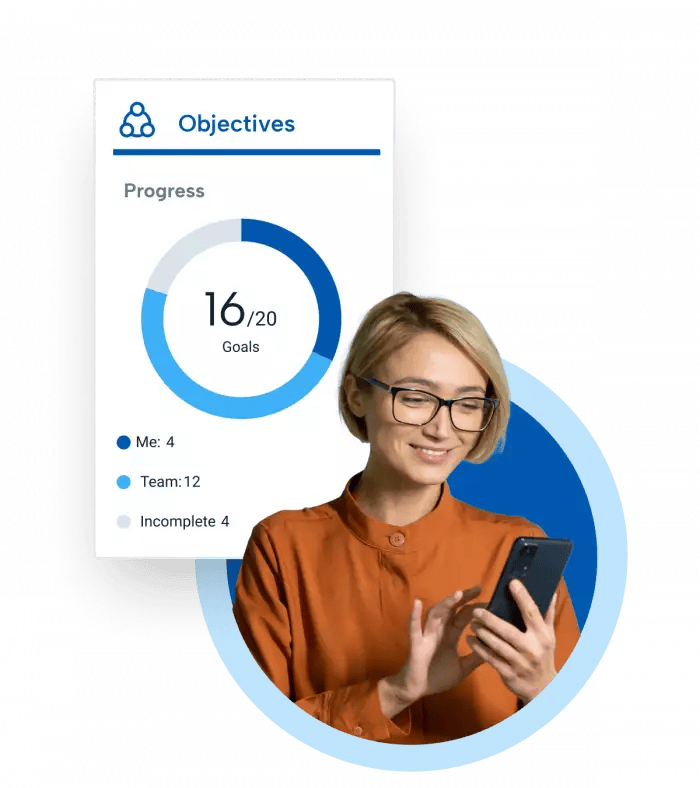
SMART goals and objectives for appraisals
Unclear reviews can lead to disengagement, creating a risk to your business. Manage staff appraisals using SMART objectives to motivate employees and provide visibility of progress.
This appraisal software helps you manage goals and objectives in moments, helping you and your team focus on meeting your objectives.

Appraisal goal reporting
Your appraisal management tool helps track performance, goals and other targets for staff to achieve.
Reporting integrated with the HR software lets you see insights into performance to make data-driven decisions when you complete monthly, bi-annual and yearly performance appraisal reviews.

Appraisal absence data
Timesheets, absences and lateness can all be reviewed in one place before an appraisal meeting.
Having an integrated HR system helps you see everything in one place, enabling you to make more informed decisions using accurate absence management data.

Measure and monitor goals
It can be easy to forget what was discussed during appraisals. Your company’s performance may fall short of expectations if staff aren’t clear on their objectives.
Recording goals and objectives using employee appraisal software gives you a clear view of progress.
Once you’ve set employee goals, break them down into manageable and measurable components. You can then track progress over time.

Appraisal form templates
Each section of the performance appraisal form is designed to help guide the conversation. This will ensure all appraisals are consistent across your business.
With the BrightHR appraisal software, you have access pre-prepared templates for annual or bi-annual reviews and 1:1 meetings, which can be customised for your reviews.

Feedback and automated reminders
Document appraisal notes, share feedback, and run 360-degree reviews for real insights into performance. Gather data on attendance and praise from the HR software for a more accurate review.
Send automatic notifications for upcoming reviews or goal deadlines, ensuring nothing is missed. All this is available online to manage performance, check schedules and access documents on desktop or on the go via the BrightHR app.

Key Features of BrightHR Appraisal Software

Goal Setting & Tracking
Set and monitor SMART (Specific, Measurable, Achievable, Relevant, Time-bound) goals, aligning employee objectives with company goals.

Performance Metrics & Dashboards
Gain full visibility of employee progress with a centralised dashboard to track goals and performance metrics on one screen.

Customisable Appraisal Templates
Access pre-set, ready-to-go templates for 1:1 meetings and annual/bi-annual reviews, reducing prep time.
360-Degree Feedback & Notes
Document review notes, share feedback, and facilitate 360-degree reviews to gain comprehensive insights into performance.

Automated Reminders
Send automatic notifications for upcoming reviews or goal deadlines, ensuring nothing is missed.

Secure Document Storage
Store, manage and access appraisal forms and performance documents in a secure, digital format.
Appraisal FAQs
When conducting employee appraisals, it’s important to prepare your feedback in advance and likewise give employees plenty of time to prepare. Having documentation to guide the session is key. It also helps if you have a central place to store your employees’ performance metrics and progress so you can gather relevant data ahead of the meeting and systematically go through it with them. Start with the positives and then lead into areas for improvement. Make sure you invite feedback and encourage your employees to share their thoughts for improvement with you. Always document the discussion, the goals you’ve set, and the agreed upon actions.
An employee performance appraisal, sometimes referred to as a performance review or performance evaluation, is a periodic development discussion that is documented by an employer. Performance appraisals are a core part of employee career development. Conducting staff appraisals allows managers to provide feedback to employees in a structured way. They also help identify training and skill gaps and help managers determine goals and objectives.
Q. QuestionCan I conduct appraisals / performance reviews / 1 to 1's on BrightHR?
Yes, you can!
With our performance reviews feature you can create, monitor, and complete any kind of performance review using any of our templates. whether this be an annual performance review, a quarterly appraisal, monthly one to one you can create your own custom template with multiple question types.
To get started, head to performance on the nav bar and then reviews. To set up your new review cycle, simply click create review cycle in the manage cycles tab.
Enter the details of what the review is and the start & end dates.
Next you will need to select one of our available templates or any custom templates you have added.
The participants step will allow you to assign a manager and any users you want that manager to complete a review for. If you want to apply different templates to employees, you will need to create separate review cycles.
Finally set your end date and save your new cycle.
Interested in BrightHR? See it in action
Dive into our award-winning software and see our range of people management tools for yourself
Learn more about employee appraisals

Tuesday, March 31, 2026
The importance of employee appraisals

Monday, March 23, 2026
How to conduct employee appraisals

Thursday, March 26, 2026
Employee appraisals: a guide for managers
Join 120,000+ global businesses that trust BrightHR






What our customers say about BrightHR
Using BrightHR makes us much more organised and centralises our processes, making it quicker for us to manage sickness and holidays.
Nottingham Credit Union

BrightHR is a user-friendly system and the team are on hand to answer any questions we ever have. I would highly recommend BrightHR.
Deborah Gillespie @ Change, Recruitment Group

Our staff absolutely love using the system and the ease of booking holidays and clocking in using Blip. Customer service is amazing...
Steven Greenall @ Cornerstone Children’s Home