- ...>Timesheets
Timesheet software to help reduce admin
See scheduled hours, actual hours worked, overtime and absences together in a simple online timesheet app.
- Instantly compare scheduled vs worked hours
- Visualise overtime and absence records at a glance
- Automatically highlight missing clock-ins
- Export audit-ready payroll data in seconds

A clearer view of your workforce
Generate instant employee timesheet reports ready for payroll. Compare planned vs actual hours, spot overtime patterns, and export audit-ready records.
- Scheduled vs actual hours shown automatically
- Weekly variance calculated for you
- Overtime and absences displayed in context
- Missing clock-ins highlighted clearly
- Highlight discrepancies before payroll runs
- Audit-ready records for compliance checks
Stay compliant with UK employment law
Accurate timesheet records aren't just good practice, they're a legal requirement. BrightHR helps you meet Working Time Regulations and keep HMRC-ready records without the admin burden using online timesheet software.
- Official records of staff hours, breaks, and overtime
- Ensure staff are taking legally required breaks
- Export and save work history for every employee
- 24/7 employment law advice from BrightAdvice
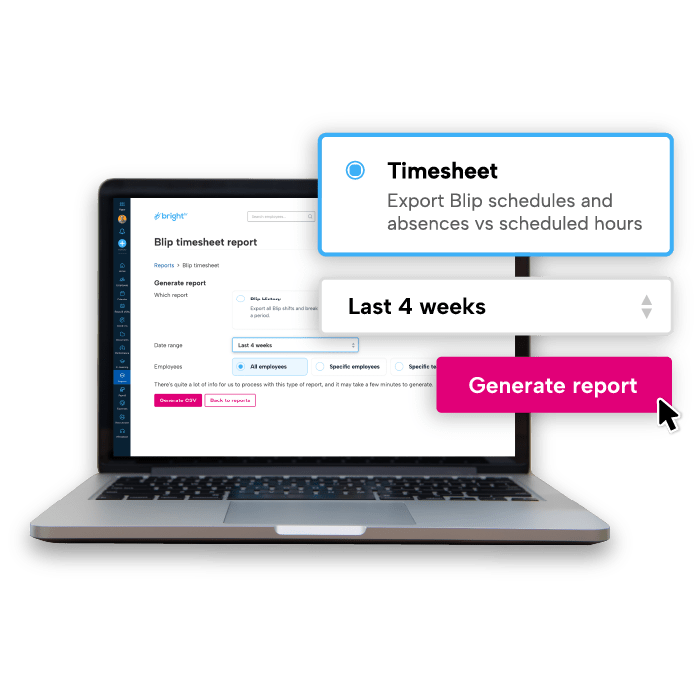
Simplified timesheets for payroll processing
Prepare payroll faster by exporting approved timesheet data directly from the online app into your payroll software. With visual overtime tracking built into the weekly summary, you can be confident staff are paid accurately for the hours they’ve worked.
- Export timesheet data in CSV format from Blip
- Overtime hours automatically calculated and added in exports
- Reduces manual re-keying and payroll errors
- CIPP-qualified payroll support included

Accurately calculate working hours
Stop chasing timesheets. Stop cross-checking reports. Start managing time with confidence.
Join 120,000+ UK businesses that trust BrightHR
Join 120,000+ UK businesses that trust BrightHR






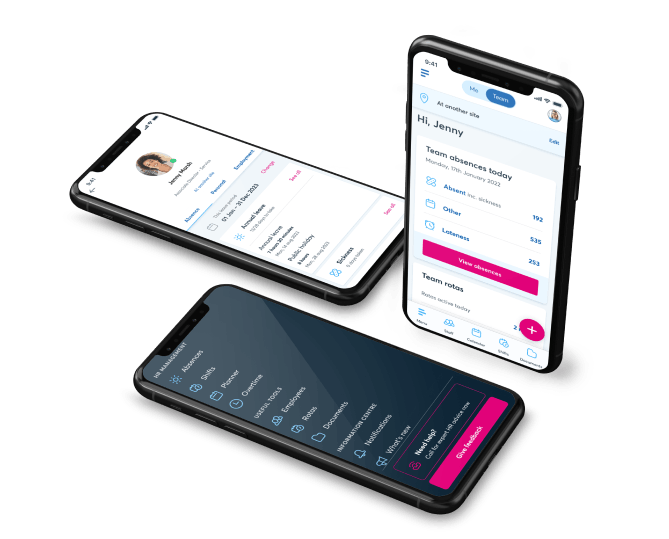
Give employees visibility over their working hours
Employees can view their own timesheets online or via the app, helping them track hours worked using our timesheet software. Confirm overtime and identify missing clock-ins.
- Employees see their own weekly summaries
- Clear record of overtime and absences
- Transparency reduces back-and-forth queries
Visual timesheet experience saves time
Admins and Managers can now instantly see a clear, visual summary of their team’s timesheets. Scheduled hours (from working patterns and rotas) are automatically compared against actual hours recorded through Blip, with variances over a week displayed right on the screen. No more running multiple reports or cross‑checking data — everything you need is in one place, ready for quick action.
- Overtime & absence represented
- Stay on top of attendance with minimal effort
- Employees also have their own timesheet view

Employee timesheet software for every UK industry

Track hours across multiple sites with clear weekly variance views

Manage split shifts and seasonal surges with real-time oversight

Maintain compliant timekeeping for care teams and shift workers
Our latest insights

Thursday, June 5, 2025
Time tracking for accurate payroll processes

Thursday, June 26, 2025
Industries that benefit from using timesheets
Explore BrightHR’s time management and payroll tools

Get a real-time view of who's clocked in, out, or on a break with our Blip clocking app.

Create, assign, and edit shifts with ease across any working pattern. Open shifts included.

Sync HR with payroll to streamline your payroll process. Expert advice included.
Manage annual leave requests with ease. Avoid clashes with easy-to-understand reports.

Track overtime hours automatically and control labour costs before they spiral.

Never be understaffed with real-time absence notifications and EAP resources.
FAQs
Keeping your operations flexible is important. But giving your staff the option of remote or hybrid working patterns can make managing your teams more difficult.
Our time-tracking app—Blip—lets you maintain flexibility with none of the stress. You can opt to create virtual boundaries called geofences around your worksites no matter where they are. Your employees will be auto-alerted to clock in and out whenever they enter or leave the geofenced location. It’s an easy and secure way to help your employees take control of their hours and keep their timesheets accurate.
The Blip time-tracking app is completely free for all BrightHR users.
If you’ve already registered as a BrightHR user, all you need to do is download the Blip app and log in using your BrightHR email address and password. You can set up and onboard your entire team in just a few minutes and then you’re all set!
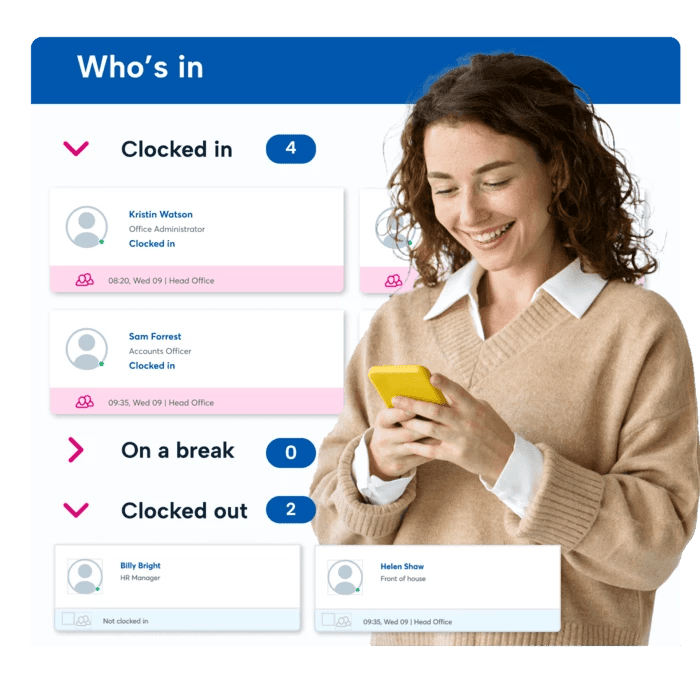
It's simple and easy! First, just head to the clock in section on the left. From here, you will see a list of users under the 'Who's in' tab divided in to 3 sections, 'Clocked in', 'On break' and 'Clocked out'
You will see underneath the employees names under clocked in the option to clock them in which will then ask you which location you want to clock them in to. To clock a user out, you would simply click 'Clock out' underneath their name.
Please note, you cannot start or end a break and there will be no option to do this.
Yes, you can!
Simply head to the clock ins section and in to the history tab.
Here you will be able to view your employees clock ins and breaks including details of the location they clocked in from, any notes included and any adjustment requests.
You can also make use of our handy filters which allow you to filter by specific employees / teams, clock in locations as well as completed clock ins and/or including notes.